How to Sell CS2 Skins for Cash
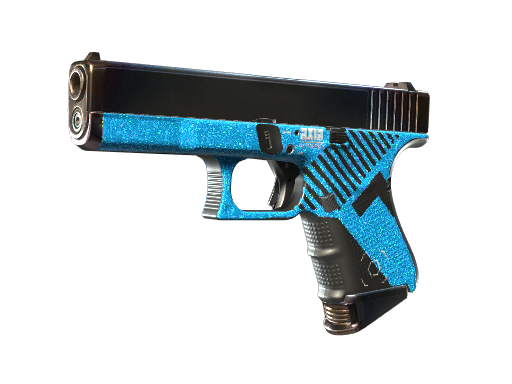
Listing Your Skins
Listing is the process of putting an item up for sale at a chosen price. Most platforms let you set your price manually or match the current market, add the item to your storefront, and wait for a buyer. Accurate details, including wear and any stickers, help your listing sell and avoid disputes.
Decide up front whether you want speed or value. Pricing at or slightly below market sells faster; pricing above market may take longer but can net more if the item is in demand.
Pricing Your Items
Check recent sale prices for the exact skin, wear, and any stickers rather than relying on an asking price someone else has posted. Float value and stickers can move a price substantially, so compare like with like.
Remember that the price a buyer pays is not what you receive. After the seller commission and any withdrawal fee, your net is lower, so price with your target payout in USD in mind. Our fees and payments guide shows how to work the numbers.
Steam Market vs Third-Party Marketplace
The Steam Community Market is convenient and integrated, but funds there stay as Steam Wallet credit that you cannot withdraw to real money, and Steam takes its own fees. It is useful for buying more items or skins but not for cashing out.
Third-party marketplaces, by contrast, let you convert sales into real USD you can withdraw to a bank, PayPal, or crypto. If your goal is actual money rather than wallet credit, a third-party platform is the route, with the trade-off of researching its fees and reputation first.
Selling Fees
Expect a seller commission deducted from each sale, and sometimes a separate withdrawal fee when you cash out. Percentage commissions take a bigger bite from expensive items, while flat withdrawal fees weigh more heavily on small cashouts.
Because fees stack, the final figure that reaches your account is the one that matters. Comparing total costs across platforms, not just the commission rate, can meaningfully change how much you keep.
Cashing Out to Real Money
Common payout methods include bank transfer, PayPal, and crypto. Bank transfers are reliable but can take several business days; PayPal is often faster; crypto depends on network conditions and adds volatility. Availability varies by country, so confirm which options work for you.
Many platforms require KYC (identity verification) before a payout, especially for larger amounts, as a legal and anti-fraud measure. Have your ID ready, expect possible holding periods on new accounts, and note any minimum withdrawal threshold so you are not caught waiting.
Timing and Taxes
Plan around processing times and verification. If you need funds by a certain date, start the sale and KYC early, since a first withdrawal can take longer while your identity is confirmed. Batching sales into a single larger withdrawal can also reduce the impact of flat fees.
Finally, be aware that income from selling skins may be taxable depending on where you live and how much you make. Rules differ widely by country, so this is a general heads-up, not legal or tax advice. If in doubt, keep records of your transactions and consult a qualified professional in your jurisdiction.
Frequently Asked Questions
Can I withdraw money from the Steam Market?
No. Steam Market sales stay as Steam Wallet credit, which you can spend on Steam but not withdraw as real money. To cash out to a bank, PayPal, or crypto, use a third-party marketplace.
How should I price my skins?
Base your price on recent sales of the exact skin, wear, and stickers, not on others' asking prices. Price at or below market for a quick sale, higher if the item is in demand and you can wait, and factor in fees to hit your target payout.
Why is my payout less than the sale price?
A seller commission is deducted from each sale, and some platforms add a withdrawal fee on top. The net USD figure after these deductions is what reaches your account, so price with that in mind.
What is KYC and why do platforms require it?
KYC is identity verification, usually requiring a photo ID. Platforms use it to meet legal and anti-fraud requirements, especially for larger withdrawals, so having your documents ready speeds up your first cashout.
How long does cashing out take?
It ranges from minutes to several business days depending on the method, plus any verification or holding period. Bank transfers are typically slower than PayPal, and a first withdrawal often takes longer while KYC is completed.
Do I owe tax on skins I sell?
Possibly. Income from selling skins can be taxable depending on your country and amounts, and rules vary widely. This is general information, not tax advice, so keep records and consult a qualified professional where you live.